As a Java developer, you will use SpringBoot to develop Web applications in many scenarios, and the current microservices mainstream SpringCloud components are also built based on SpringBoot. The SpringBoot application is deployed to the server and requires an O&M script. In this article, we try to summarize the shell scripts used in production before and write a reusable SpringBoot application operation and maintenance script based on our experience, thus greatly reducing the workload of managing SpringBoot application startup, status, restart and so on. The Shell script in this article works fine in CentOS7, other operating systems may not be suitable. If you are not interested in some of the basics or principles you can drag them to the end and copy the script directly for use.
Some knowledge about the shell
Writing SpringBoot application operations and maintenance scripts in addition to the basic Shell syntax to be relatively proficient, but also need to address two more important issues (in the author’s personal opinion).
- The correct way to get the process ID of the target application, that is, the problem of getting the
ProcessID (hereinafter called PID). - The correct way to use the kill command.
- The correct way to use the command nohup.
Get PID
In general, if the PID can be successfully obtained by the application name, you can be sure that the application process is running, otherwise the application process is not in the running state. The running status of the application process is determined based on the PID, so the command to get the PID is called several times in the application process management script. Typically, the grep command is used to find the PID, for example, the following command queries the PID of the Redis service.
|
|
This is actually a compound command, each | is followed by a complete independent command. Each subcommand is explained as follows.
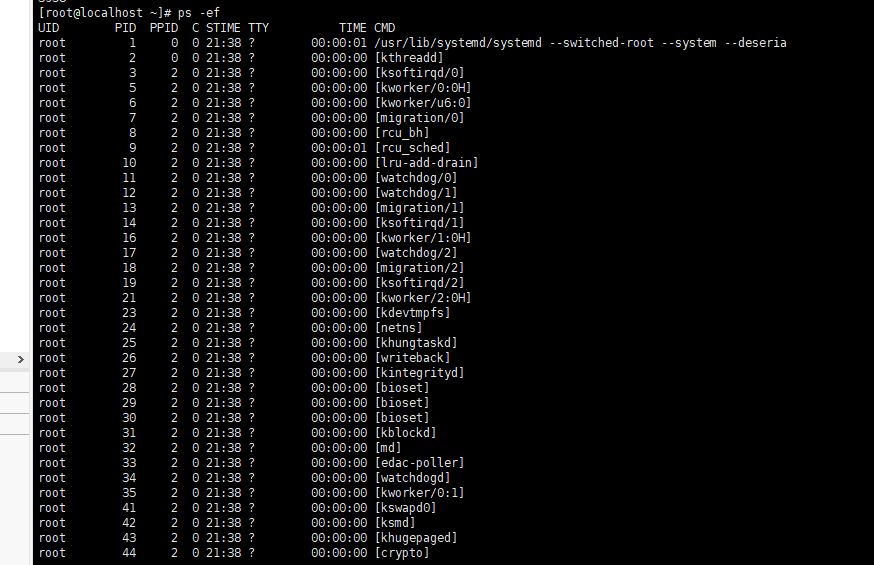
ps -efis thepscommand with the-efparameter. Thepscommand is mainly used to view the status of processes,-emeans display all processes, while -f means complete output showing the parent-child relationship between processes, for example, the following is the result ofps -efexecuted onCentOS 7in the author’s virtual machine.
grep XXXis actually the target parameter corresponding togrep, and is used to search the results of the target parameter, which will be searched from the results of the previous command in the compound command.grep -v grepis thegrepcommand that ignoresgrep’s own processes when it is executed.awk '{print $2}'is to take out the second column of the processed result.
ps -ef |grep redis |grep -v grep |awk '{print $2}' The compound command execution process is.
<1>Get the system process status byps -ef.<2>Search for therediskeyword from the results in<1>withgrep redisto get theredisprocess information.<3>Filter outgrep’s own processes from the results in<2>bygrep -v grep.<4>Get the second column from the results in<3>byawk '{print $2}'.
In the Shell script, the PID can be obtained in this way.
But this has the problem that every time you want to get the PID you have to use this very long string of commands, which is a bit clumsy. This process can be simplified by using eval.
The problem of getting the PID is solved, and then you can decide what to do next based on whether the PID exists or not.
Understand the kill command
The general form of the kill command is kill -N PID, which essentially sends a signal to the process corresponding to the PID, and then the corresponding process needs to respond to this signal, the signal number is N, the optional value of this N is as follows (the system is CentOS 7).
Common among developers are 9) SIGKILL and 15) SIGTERM, which are generally described as follows.
| Signal number | Signal Name | Description | Function | Impact |
|---|---|---|---|---|
| 15 | SIGTERM | Termination (ANSI) | The system sends a SIGTERM signal to the corresponding process |
The process stops immediately, or after releasing resources, or continues to run due to waiting for IO, i.e. there is generally a blocking process, or to put it another way the process can block, process or ignore the SIGTERM signal |
| 9 | SIGKILL | Kill(can’t be caught or ignored) (POSIX) | The system sends a SIGKILL signal to the corresponding process |
The SIGKILL signal cannot be ignored and generally manifests itself as an immediate process stop (there are of course additional cases) |
The default kill command without the -N parameter is kill -15. Generally speaking, kill -9 PID is a surefire way to kill a process, but it is likely to affect the process of releasing resources before the process ends or abort I/O operations causing abnormal data loss, etc.
nohup command
If you wish to keep the application process from exiting after exiting the account or closing the terminal, you can use the nohup command to run the corresponding process.
nohupis short forno hang up, and the purpose ofnohupis to run commands without hanging up.
The format of the nohup command is: nohup Command [Arg...] [&], the function is: run the command based on the command Command and the optional additional parameter Arg, ignoring all hangup signals SIGHUP in the kill command, the & symbol indicates that the command needs to be run in the background.
Note here that there are three common standard streams used in operating systems.
- Standard input stream STDIN
- Standard output stream STDOUT
- Standard error stream STDERR
If you run nohup Command & directly, all the standard output streams and error output streams will be output to the current directory nohup.out file, which may take up a lot of disk space after a long time, so you usually need to redirect the standard output stream STDOUT and standard error stream STDERR to other files, such as nohup Command 1>server.log 2>server.log &. However, since the standard error stream STDERR has no buffer, this will cause server.log to be opened twice, resulting in the standard output and the error output competing and overwriting each other, so it is common to redirect the standard error stream STDERR to the already open standard output stream STDOUT, which is often seen as 2>&1 and the standard output stream STDOUT can omit the 1 in front of >, so.
|
|
However, more often than not, when deploying Java applications, the application will specifically print the logs to a specific directory on the disk for ELK collection, such as the author’s former company’s operations and maintenance stipulates that the logs must be printed in the /data/log-center/${serverName} directory, then the standard output stream of nohup must be completely ignored at this time. STDOUT and the standard error stream STDERR must be completely ignored. A more feasible approach is to redirect both standard streams to the “black hole /dev/null”. For example.
|
|
Writing SpringBoot Application Ops Scripts
The SpringBoot application is essentially a Java application, but it will be possible to add specific SpringBoot allowed parameters, and the following will be a step-by-step analysis of how to write a reusable O&M script.
Global Variables
Considering the need to reuse variables as much as possible and to improve the brevity of the script, the reusable global variables are extracted here first. First, the location JDK_HOME where JDK is defined.
|
|
Next, define the location of the application APP_LOCATION.
|
|
Next, define the application name APP_NAME (mainly for search and display).
|
|
Then define the temporary variable PID_CMD for the command to get PID, which is used later to get the temporary variable for PID.
Define the virtual machine attribute VM_OPTS.
|
|
Define the SpringBoot property SPB_OPTS (typically used to configure the startup port, application Profile or registry address, etc.).
|
|
The main parameters are these, which can be modified or added according to the actual scenario.
Writing the core commands
For example, if the file of the script is server.sh, then it needs to be executed at the end using sh server.sh Command, where the Command list is as follows.
start: start the service.info: print information, mainly the content of shared variables.status: prints the service status, used to determine whether the service is running or not.stop: Stop the service process.restart: restart the service.help: help guide.
The specific method of invocation is determined here by the case keyword and the first argument entered when the command is executed.
|
|
To test.
Then you need to write the corresponding method implementation.
info
info() is mainly used to print the environment variables of the current service, information about the service, etc.
|
|
status
The status() method is mainly used to show the running status of the service.
|
|
start
The start() method is mainly used to start the service, which requires JDK and nohup and other related commands.
|
|
- First determine whether the application is already running, if it can already get the application process
PID, then return directly. - Use the
nohupcommand in combination with thejava -jarcommand to start the application jar package and determine whether it was started successfully based on thePID.
stop
The stop() method is used to terminate the application process. Here, in order to kill the process relatively safely and gracefully, we first use the kill -15 method, make sure that kill -15 cannot kill the process, and then use kill -9.
|
|
restart
It’s actually stop() first, then start().
Testing
I have introduced only spring-boot-starter-web minimal dependency based on SpringBoot dependency, played a Jar package app.jar in the /data/shell directory of the virtual machine, and uploaded the script server.sh to the /data/shell directory
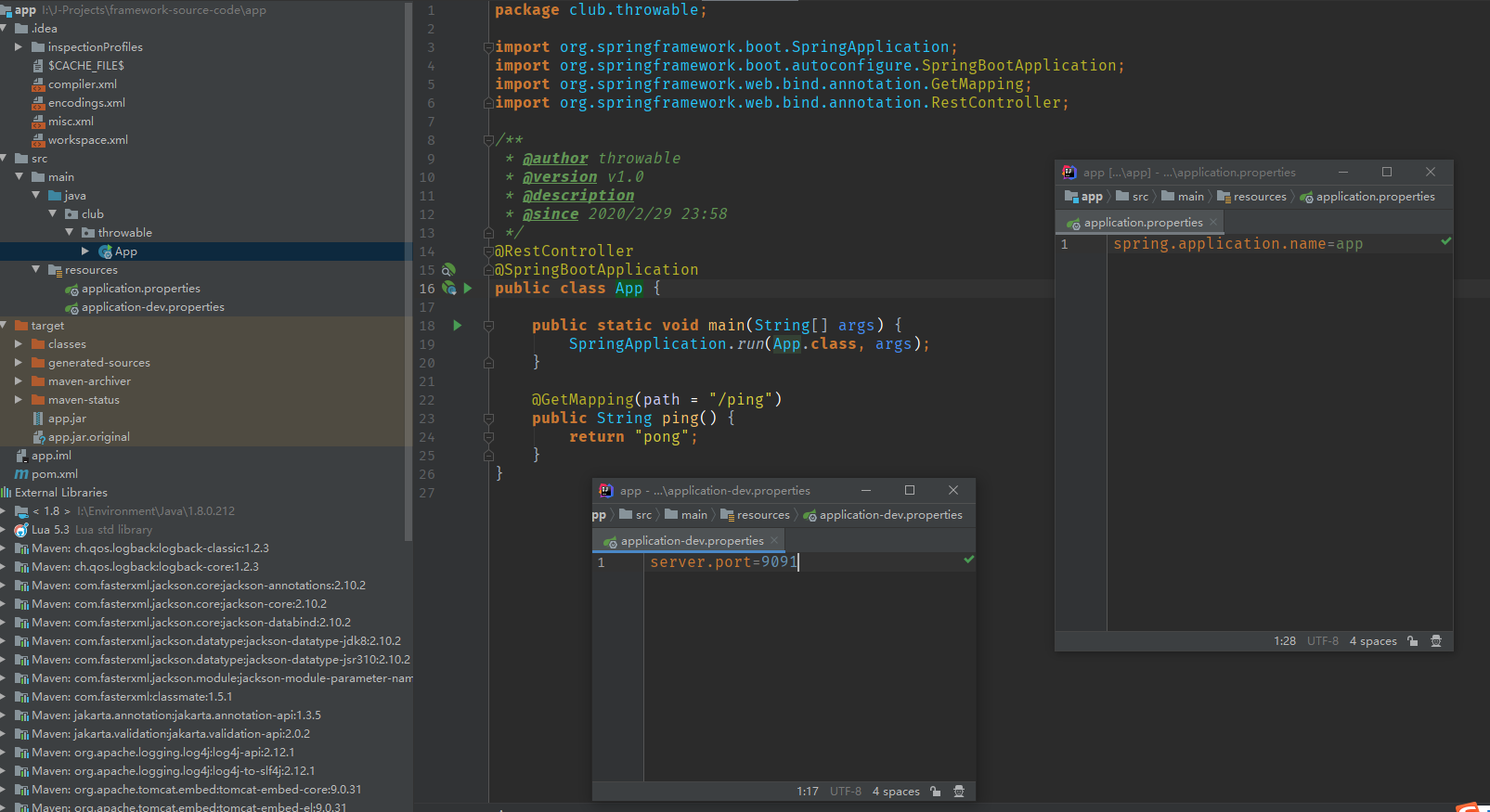
The results of a particular test were as follows.
|
|
The test script confirms that the result of the execution is correct. The ================= is intentionally added by the author, so you can remove it if you feel it is an eyesore.
Summary
SpringBoot is the current or a long time in the future Web services in the mainstream framework, I spent a little time learning Shell related syntax, combined with nohup, ps and other Linux commands to write a reusable application operations and maintenance scripts, has been applied in the test and production environment, to a certain extent to save the cost of operations and maintenance.
Reference.
Reference https://www.throwx.cn/2020/03/01/spring-boot-server-shell/